A lot has changed — here’s the full picture
If you haven’t opened Hyperbuild in a while, v1.3.0 is a good time to come back.
Over the past few releases we’ve been heads-down on three things: making the app easier on the eyes, keeping your card data fresh without waiting on app store updates, and tightening the deck building loop from first card to published list. v1.3.0 caps that stretch with the next step in our over-the-air content pipeline — preview art and publishing tools that help us ship new sets and fixes faster than ever.
Here’s everything that’s landed recently — and how to use it.
Built for late-night deck tuning
Dark mode isn’t just a toggle anymore — it’s part of how the app feels.
System themes are here, including Dark Mode and High Contrast options, plus themed ambient backgrounds that give each screen a little more atmosphere. Deck lists got a visual refresh too: cleaner rows, a richer visual decklist view, and polish across navigation and layout so browsing your library feels as good as building in it.
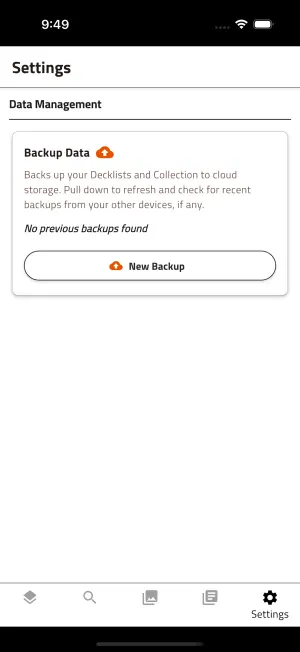
How to change your theme
- Open Settings from the bottom navigation bar (gear icon).
- Scroll to the Display section.
- Under Display Theme, pick Theme Mode: System, Dark, or Light. System follows your phone’s appearance setting.
- Toggle High Contrast Mode on if you want stronger contrast for readability.
Your choice applies across the app immediately — no restart needed.
How to switch deck list views
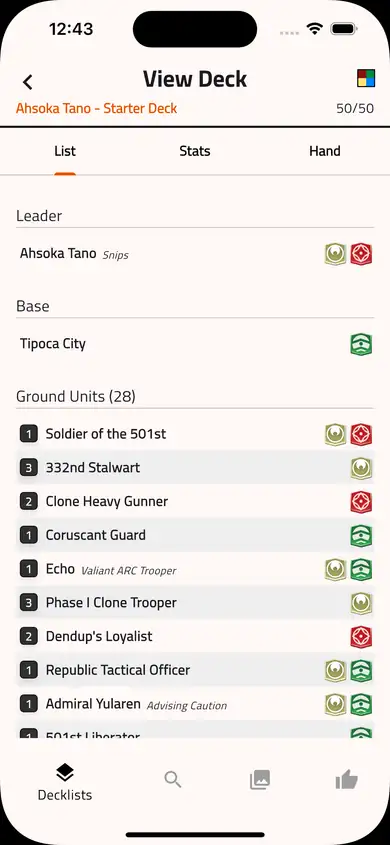
When viewing a saved deck, use the view mode controls at the top of the deck screen to flip between:
- List — your full deck breakdown
- Stats — curve, aspect, and type analysis at a glance
- Hand — a sample opening hand to sanity-check your curve
Great for a quick gut-check before you publish or share a list.
Card data that keeps up with the meta
Waiting on an app update every time a new card drops? That’s the old way.
Hyperbuild now pulls over-the-air (OTA) content updates — new cards, corrections, and set data can land on your device without a full store release. We’ve added a set filter on the card database, fixed edge cases around ASH preview content, and cleaned up bundled data so ghost entries don’t sneak into your searches.
Behind the scenes, v1.3.0 advances that pipeline further: a preview publish workflow, sync reliability fixes, and OTA preview art so upcoming cards can be staged and validated before they go wide. Sync is snappier too, with clearer feedback when content is checking for updates.
The short version: your card database should feel current, not frozen in time.
How to check for card updates
- Open Settings.
- Find the Card content section (Spoiler & patch updates).
- Tap Check for card updates to pull the latest official card data right away.
- Optional: leave Download images on Wi‑Fi only enabled if you’d rather save mobile data for art downloads. SQL data updates are small and download whenever available.
You’ll see a snackbar confirming whether you’re up to date or if new data landed. The card shows your installed content version so you know what’s on your device.
How to filter by set
In Card Viewer or while searching for cards in the Deck Builder, open the filter controls and use the Set filter to narrow results to a specific expansion — handy when you’re building for a particular meta or browsing preview cards after an OTA update.
Deck building, leveled up
Building a list should be frictionless — especially when you’re theorycrafting for a new set or fixing a list you already published.
Recent releases brought:
- ASH preview set support and free build decks so you can experiment with upcoming cards without workarounds
- The ability to edit published decks after they’ve gone live
- ASH repair and card viewer UX fixes for smoother browsing and fewer dead ends
Whether you’re iterating on a locals list or publishing something for the community, the loop from search → build → share got noticeably tighter.
How to start a free build deck (preview sets like ASH)
Free build mode lets you brew with preview and spoiler cards before they’re legal in standard formats — perfect for theorycrafting upcoming sets like Ashes of the Empire.
- From Decklists, tap (+) to create a new deck.
- When prompted, enable Free build for the new list.
- Build as usual — preview-set cards (such as ASH) will appear in search and Card Viewer when free build is active.
- Note: free build decks skip standard legality validation, so treat them as sandbox lists until the set officially releases.
You’ll see a Free build badge on the deck while you’re editing.
How to edit a published deck
Made a typo after publishing? You no longer need to clone and rebuild from scratch.
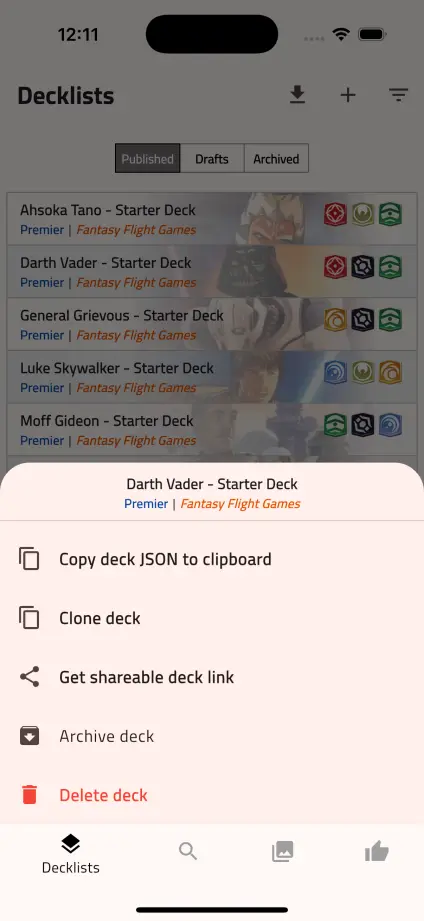
- Go to Decklists → Published.
- Press and hold the deck you want to change.
- Tap Edit deck from the actions menu.
- Hyperbuild opens the deck in the builder and moves it to Drafts so you can make changes, then save and re-publish when you’re ready.
This works for decks saved locally on your device. Online-only published lists may still require cloning depending on how they were shared.
Smarter in-app updates
Hyperbuild now greets you with a What’s New sheet when there’s something worth knowing — so you don’t have to hunt through release notes to find out what changed. We’ve also aligned the Resources summary, refreshed market pricing, and squashed a pile of small UX fixes (card cost rendering, navigation deep links, and more) that add up to a smoother day-to-day experience.
How the What’s New sheet works
- After updating the app, you’ll see a What’s New bottom sheet the next time you open Hyperbuild.
- Scroll through the highlights, then dismiss the sheet — you won’t be prompted again until the next major update.
- Want the full story? This post and our Updates page have the longer version anytime.
What’s next: solo play
Deck building is only half the story. We’re actively building Play vs AI — full matches against an AI opponent, right inside the app. Setup, mulligans, action phases, the works.
We’ve shared a first look in our solo play preview post. Stay tuned — it’s the feature we’ve heard you ask for most.
Update today
If you’re on an older build, head to the App Store or Google Play and grab v1.3.0. As always, feedback and bug reports are welcome on our Support page — they directly shape what we ship next.
Thanks for building with us. More coming soon.